

Your course is live, the ads are working and students are paying. Then a Telegram group starts selling your recorded lectures for Rs 99. Ten learners quietly use one login. A charge lands on your card while you thought you were still on a free trial. And when you finally decide to migrate to another platform, you find out your students, progress and certificates don't move with you.
If you plan to switch online course platform, these are the problems you should fix first. I've picked seven questions educators actually ask, with straight answers on what any platform can and can't do, what each gap costs you, and what to check before you move.
Key Takeaways
- DRM, in app recording blocks and watermarks make piracy hard and traceable.
- Hiding the download button is not the same as protecting the video file.
- Some platforms let one login be shared without limits; others let you cap devices and block parallel logins.
- A charge right after starting a free trial is often a card verification hold, not the subscription itself.
- Knowing which ad made a sale needs UTM tags plus a purchase event that fires only after payment is confirmed.
- WhatsApp messaging at scale runs on the official WhatsApp Business API and Meta approved templates, either natively or through connectors.
- Before you migrate, export students, progress and certificate records, and check what the new platform will import for you.
How Do I Stop Students From Screen Recording My Online Course?
You can't stop every screen recording, but you can block most of them and make the rest traceable. That takes three things working together: DRM encrypted video, recording blocks inside the app and a watermark that carries the student's identity.
What does one leaked course cost you?
Piracy rarely looks like a big loss on day one. A student records your test series, shares it in a Telegram or WhatsApp group, and the next batch of buyers simply never arrives.
Here's an example: your course sells for Rs 4,999. If a leaked copy replaces just 50 paid enrolments, you've lost Rs 2,49,950 from one course in one batch. The ad spend that brought those 50 students to your page is gone too.
Which protection layers actually work?
|
Protection layer |
What it does |
What it can't do |
|
Login |
Only enrolled students can open the video |
Doesn't stop an enrolled student from recording |
|
DRM encryption (Widevine, FairPlay) |
Streams an encrypted video that plays only with a valid licence |
Browser support varies; no DRM promises capture proof playback on every browser |
|
Recording blocks inside the app |
On Android and iOS, a recording captures a black screen instead of the video |
Works only inside the app, not in every browser |
|
Dynamic watermark |
Shows the student's phone or email on the video, moving across the screen |
Doesn't block recording; makes a leak traceable to one account |
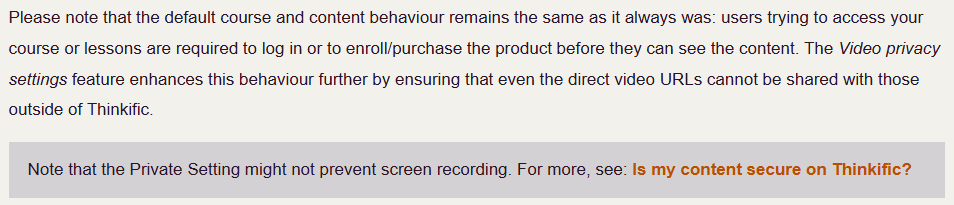
Many course platforms don't provide more than login security. Thinkific's own help center says its private video setting "might not prevent screen recording", and its content security guide suggests discouraging sharing with watermarks and copyright notices instead.
What should you ask before you switch?
If you're looking for an LMS with screen recording prevention, ask these four questions:
- Is the video DRM encrypted?
- Does recording show a black screen on Android, iOS and the desktop app?
- Can the watermark show each student's phone number or email, and does it move during playback?
- What happens on a browser where DRM support is weaker?
How Learnyst handles this: Learnyst is a video DRM LMS. Course videos are DRM encrypted, and on the Learnyst mobile apps students cannot take screenshots or record the screen. Learnyst blocks more than 200 screen recording tools across mobile, desktop and browser; on desktop apps the screen turns black when a recorder is detected. A dynamic watermark can show each student's phone number or email while the video plays.
How Do I Stop Students From Downloading My Course Videos?
Turn off the download option, stream every video encrypted, and allow offline viewing only through encrypted downloads inside your app. Switching off a download button removes the easy route. It doesn't protect the file if the video still streams unencrypted.
Why isn't hiding the download button a solution?
Most platforms, Thinkific included, let you decide whether a download button appears on a lesson. This setting only controls what the course player shows. An unencrypted stream can often be saved with browser extensions or download managers, and the file then works anywhere, forever.
True download protection for courses means the video file itself is useless outside your platform.
Which download setup protects you best?
|
Setup |
What the student gets |
Risk to you |
|
Download button off, plain streaming |
Online viewing only |
the stream can still be captured by tools |
|
DRM encrypted streaming |
Online viewing only |
the file won't play without a licence |
|
Encrypted offline download inside the app |
Offline viewing, locked to that device |
the file can't be copied to another device and access expires |
Pro tip: Never put course videos on unlisted YouTube links or shared Google Drive folders, even for a free preview of a paid batch. Those links travel fast and can't be pulled back.
For more on this, read our guide on 10 ways to protect your online courses from downloads and piracy.
How Learnyst handles this: Course videos and materials are encrypted and stored on secure servers, so only authorised students can play them. Students who need offline access download inside the app, where the video stays encrypted, is locked to that device and expires after a playback period you set.
How Do I Stop Students From Sharing One Login Across Multiple Devices?
Set a device limit on every student account and block parallel logins, so one account can only be active on one device at a time. Without those two controls, a single purchase can quietly serve a whole hostel room.
What can your platform actually control?
|
Control |
What it stops |
|
Device limit per account |
One login credential on many phones |
|
Parallel login block |
Two people watching on the same account at the same time |
|
Device and sign in monitoring |
Lets you spot accounts used from too many places |
|
Terms of use with clear consequences |
Gives you grounds to remove an account that's being shared |
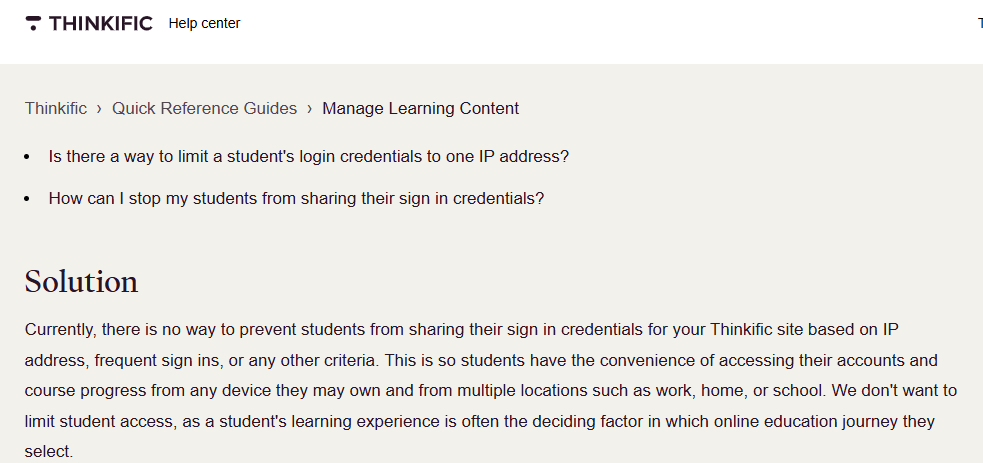
Very few LMS platforms provide device limits per account and block parallel login. At Thinkific's there's currently no way to stop students sharing sign in details on its sites; it allows multiple devices on purpose and suggests tracking IP addresses and sign in counts instead.
How Learnyst handles this: On the web, Learnyst restricts each student to one device by default. You can set how many Android and iOS devices a student can log in on, and tick Restrict Parallel Logins so an account can't be active on two devices at once.
Why Was I Auto Debited on Thinkific During My Free Trial, and How Do I Stop It?
If the charge appeared right after you started the trial, it's most likely a pre-authorization hold. Most platforms hold this money to verify your card, and is reversed automatically and drops off your statement after a few days. If the charge came after the trial ended, or after you picked a plan, it's a subscription charge. Cancel from your account settings before the next billing date to stop the next one.
If the charge still goes through despite cancelling the trial, that's a red flag. Based on insights from our internal sales calls and research, I have come across several such incidents where customers were charged automatically even after cancelling their free trials. Moreover, customers receive no response from the support team when they raise payment-related concerns, such as unauthorized auto-debits or failed payment recovery issues.
How Learnyst handles this: At Learnyst there are no surprises when it comes to payments. Our team walks you through the complete pricing structure, subscription terms, renewal cycles and cancellation policies before you commit to a plan. You'll know exactly what you're signing up for, with no hidden charges or unexpected billing surprises.
How Do I Know Which Ad My Course Sale Came From?
Add UTM tags to every ad link, install the Meta Pixel and Google Analytics if you use it, on your course site, and make sure the Purchase event fires only after the payment gateway confirms the payment. Then match those numbers against your orders every week.
How do you set up UTM tags for course ads?
UTM tags are small labels added to the end of a link. They tell your analytics where a visitor came from and which campaigns bring them to your course website
|
UTM parameter |
What it records |
Example |
|
utm_source |
specific traffic source |
|
|
utm_medium |
type of traffic |
paid_social |
|
utm_campaign |
campaign name |
upsc_testseries_nov |
|
utm_content |
specific ad or creative |
video_ad_1 |
Which events should you track?
To track course sales from ads, you need events at every step, not just the final sale.
|
Student action |
Meta Pixel event |
What it tells you |
|
Opens the course page |
ViewContent |
Which ads bring interested visitors |
|
Taps Buy Now |
InitiateCheckout |
Which ads bring students close to paying |
|
Completes payment |
Purchase |
Which ads actually make money |
Which Is the Best Course Platform in India With WhatsApp Integration?
The right course platform with WhatsApp integration connects to the official WhatsApp Business API natively. It lets you send Meta approved messages to student groups, schedule them and reply from one shared inbox.
Native integration or connector?
|
Native WhatsApp integration |
Through a connector (Zapier, Pabbly and similar) |
|
|
Setup |
Connect your WhatsApp Business account inside the platform |
Build and maintain separate automations |
|
Extra cost |
Usually WhatsApp's own message charges |
Connector subscription on top of message charges |
|
Student data |
Stays in your course platform |
Passes through another tool |
|
Replies |
Handled in one inbox |
Often handled somewhere else |
Many global platforms, Thinkific included, reach WhatsApp through connectors like Zapier rather than a built-in integration.
What should a course platform with WhatsApp integration let you do?
If you're shortlisting a course platform with whatsapp integration, check that it lets you:
- Connect your own WhatsApp Business API number.
- Create message templates and submit them for Meta's approval.
- Send to one student group or all learners.
- Schedule messages or send a test first.
- Read and reply to student responses from a shared inbox.
How Do I Migrate My Students, Courses and Certificates From Thinkific to Another LMS?
Export your student list and progress reports first, then download your videos and course files, rebuild the courses on the new platform and import your students. Keep your old plan active until every student is moved and reissue certificates on the new platform.
Why is migration the step creators put off?
Creators avoid migrating to other LMS platforms because the risk is real. If you cancel too early on Thinkific, you can no longer edit courses or student details, your students lose access through the mobile app, and any active student subscriptions keep charging. Rushing an LMS migration can cost you students, reviews and refunds in the same month.
A safe migration order
- Export students, progress and certificate records while your plan is still active.
- Build and test your courses on the new platform.
- Import students and enroll them in the right courses.
- Tell students the date, the new login link and what changes for them.
- Cancel recurring student payments on the old platform.
- Reissue certificates, then cancel the old plan.
How Learnyst handles this: Learnyst gives you import templates to move learners and course data, and our product experts help teams switching from another platform get set up.
How Does Learnyst Solve These Problems in One Platform?
Learnyst puts content security, student access controls, WhatsApp messaging, conversion tracking and migration help on one platform built for Indian educators. You don't need a separate video host, a messaging connector and a tracking workaround to cover the gaps.
|
Problem |
What you need |
On Learnyst |
|
Screen recording |
DRM, recording blocks and traceable watermarks |
DRM encrypted video; recording and screenshots blocked on the mobile apps; 200+ recording tools blocked; dynamic watermark with student phone or email |
|
Video downloads |
Encrypted files and safe offline access |
Encrypted storage; offline downloads that stay encrypted, locked to the device and expire |
|
Login sharing |
Device limits and parallel login blocks |
One device on web by default; Android and iOS device limits; Restrict Parallel Logins |
|
Surprise billing |
Clear terms before you pay |
Plan, renewal and cancellation terms walked through on your demo call |
|
Ad tracking |
Pixel events on the same site as checkout |
Meta Pixel through code snippets; purchase webhooks |
|
|
Native WhatsApp Business API messaging |
Connect your number, send approved templates to groups, schedule, reply from Team Inbox |
|
Migration |
Import tools and hands on help |
Import templates for learners and course data; product experts help you set up |
What should you check in a demo before you switch?
- Try recording a lesson on Android, iOS and desktop. What does the recording show?
- Log in on a second phone. Is it blocked?
- Can you play the offline file outside the app?
- Send a WhatsApp message. Send a test template to a small group and reply from the inbox.
- Check tracking. Make a test purchase and see when the Purchase event fires.
- Ask about migration. Who moves your students and courses, and by when?
Conclusion
The right time to switch online course platform providers is before a gap costs you a batch. Protect content with DRM, recording blocks and watermarks. Keep downloads encrypted and locked to the device. Cap devices and block parallel logins. Know exactly when a free trial will end, and how to cancel. Tag every ad and fire Purchase only after a confirmed payment. Message students on WhatsApp through a native Business API connection. Export everything and cancel student payments before you leave.
Your content is your business. The platform you sell on should protect it, help you sell more of it and never hold it hostage.
Want to see how this looks for your academy? Book a demo with Learnyst.
FAQs
How do I secure my video lectures completely from piracy?
Combine DRM encryption, in app recording blocks, a dynamic watermark and device limits to make piracy hard and traceable. Learnyst offers all four as a video DRM LMS.
Does Learnyst auto debit money when the free trial ends?
No, Learnyst's free trial needs no credit card, so nothing is charged when it ends. You pay only when you choose a paid plan.
Does Learnyst have a native WhatsApp messaging tool, or will I need an external tool?
It's native, so you don't need Zapier or any connector. Connect your WhatsApp Business API account inside Learnyst, send Meta approved templates to student groups and reply from one Team Inbox. Meta's messaging charges apply.
If I stop Learnyst's plan, will my students be affected?
No, your students or data won’t be affected if you export your learner, data and back up your courses before the plan ends. Your plan runs until the end of the billing cycle, then the account is locked, and then only data may be deleted 30 days after expiry.
If I stop Learnyst's plan, will I still receive payments from students?
Yes, until your current billing cycle ends. After the account is locked, students can't buy through your Learnyst site, so renew or settle recurring plans before expiry.
If my subscription ends, will my courses stay visible to students or be grayed out?
They won't stay visible. Learnyst has no free fallback plan, so the account is locked after the billing period. Renew before your expiry date to keep courses live.
What extra marketing, analytics or other tools would I need with Learnyst?
No extra tool is required. Your domain, website, payments, email, push and WhatsApp marketing, GA4, Google Tag Manager, Meta Pixel, live classes, apps and tests are all built in, depending on your plan.
Comments